Word-by-word auto captions for Reels, TikTok and Shorts
Most people scroll with the sound off. Raw2Reel writes your captions for you, word by word, and lights up each word as you say it. Pick a style and a colour, fix a word if you need to, and post.
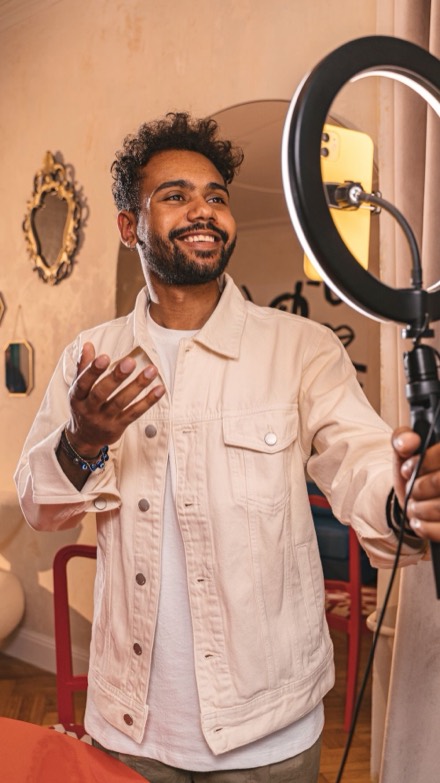
Watch: choosing the caption style and colour
A real recording of the editor on a phone. Tap Captions, pick a style (Pop, Karaoke, Box, Clean or Big word), choose the colour of the highlighted word, and fix any word by tapping its line.
Three steps, no editing skills
Upload your video
Straight from your camera roll or your computer, in any language.
Press Edit this video
Captions go on word by word, and the pauses are cut at the same time.
Pick a style and save
Choose one of 5 styles and your colour, fix any word with a tap, then save.
| Instagram / TikTok captions | Raw2Reel | |
|---|---|---|
| How they look | The app's own look, the same for everyone | 5 styles, your colour, high, middle or low |
| Word by word | Lines of text | Words light up as you say them (Pop, Karaoke, Big word) |
| Can viewers turn them off | Yes | No, they are part of the video |
| One file for every app | Made again in each app | Post the same video to Reels, TikTok and Shorts |
| Fixing a wrong word | Edit the caption text in each app | Tap the word once, the video updates |
Hormozi style captions in one click
The bold, fast captions you see on business and coaching clips show a few words at a time, big and centred, with the spoken word in a strong colour. In Raw2Reel that is the Big word style (one large word at a time) or Pop (a few words, the spoken one in your colour). Pick one, choose your colour, and every word is timed to your voice for you.
Five styles that people actually read
Pop shows a few words at a time with the spoken word in your colour. Karaoke sweeps the colour across as you talk. Box puts each line on a solid block. Clean is plain and quiet. Big word shows one large word at a time, the style made popular by fast talking-head clips. Put them high, in the middle or low, so they never cover your face.
Fix a word in one tap
Every caption comes from a transcript you can see. If a name or a brand is spelled wrong, tap the word, type it right, and the video updates by itself. No re-timing, no subtitle file to edit.
Burned in, so everyone sees them
Instagram and TikTok have their own auto captions, but you can't choose how they look and viewers can switch them off. Captions burned into the video show the same way everywhere, so you can post one file to Reels, TikTok and Shorts.
90+ languages, and 7 for translation
Raw2Reel hears the language you speak by itself, including right-to-left languages like Arabic, which are written in the correct direction. If your audience speaks something else, the captions can be translated into 7 languages. Some toolboxes list more languages; see how VEED's auto subtitles compare for a talking clip.
Ready to post
Vertical 9:16 for Reels, TikTok and Shorts, 4:5 for the feed, or square, in Full HD 1080p at your original frame rate. Music, b-roll and auto zoom are added in the same pass, and music or b-roll can be switched off with a tap.
Price: watch free, pay to download
Uploading a video and watching your full edit is free, with no card. To download, take the monthly plan (15 videos for $15) or a pack of 10 for $29 or 30 for $69. You only pay for videos you download. Every video you download is Full HD with no Raw2Reel mark.
More you can do with Raw2Reel
Questions
How do I add captions to Reels automatically?
Upload your video to Raw2Reel and press Edit this video. Captions go on word by word by themselves. Save the video and post it to Instagram as a normal Reel.
How do I get word-by-word captions like the big creators?
Choose the Pop, Karaoke or Big word style. Each word appears as you say it, and the spoken word is highlighted in your colour.
Can I edit the auto captions?
Yes. Tap any word in the transcript, type the correct word, and the video updates.
Are the auto captions free?
Trying them is free: upload a video with no card and watch the full edit with captions in the preview. To download it, there is a monthly plan (15 videos for $15) or packs with no subscription.
Which languages do the captions support?
Over 90 languages are recognised automatically, and captions can be translated into 7 languages.
Can I turn captions off?
Yes. Pick No captions in the style list and the rest of the edit stays the same.
How do I make Hormozi style captions?
Upload your clip, press Edit this video and pick the Big word or Pop style. Choose your colour and save. Each word appears as you say it.
Can I add auto captions to a video online for free?
Raw2Reel runs in the browser, and you can upload a video and watch your full edit with captions for free, with no card. To download it, pick any plan or pack; downloaded videos are Full HD with no Raw2Reel mark.
Do the same captions work on TikTok and YouTube Shorts?
Yes. The captions are burned into the video, so one 9:16 file shows them the same way on Reels, TikTok and Shorts.